RexyServer is the heart of the family. It scans your library, fetches rich metadata, and serves it to RexyRead and RexyListen on your own LAN. Runs on your Mac. No cloud, no subscriptions, no telemetry.
A serious media server that runs on a Mac you already own. Free, native, and completely yours.
One Mac, Your Whole Library
Comics, manga, audiobooks, novels, and PDFs from a single server. Powers RexyRead and RexyListen on every device in the house.
Auto-Scanning Library
Drop files into your watched folders and RexyServer picks them up. File watchers handle adds, renames, and removals automatically.
Multi-Source Metadata
A curated set of metadata services queried in parallel, ranked by query type and orchestrated for the best match across every format you collect.
Embedded Metadata
Metadata is written directly into your CBZ, EPUB, M4B, MP3, and PDF files — not just stored in a sidecar. Your library stays portable forever.
Format Conversion
Convert CBR comics to CBZ, and MOBI ebooks to EPUB 3. The conversion queue runs in the background, with progress and status visible in the Conversion tab.
Cover Caching
Every cover is fetched, sized, and cached so clients load posters instantly. Override any cover with a local image and the server respects your choice.
Multi-User with Profiles
Each member of the household gets their own user. Separate reading progress and separate audiobook positions, with optional per-user PINs to switch between profiles.
Optional TOTP-Protected Admin
Turn on two-factor authentication and destructive operations like bulk delete and user removal will require a fresh time-based one-time code. Authenticator-app friendly. Even a compromised paired device can't wipe your library.
Bonjour Discovery
Clients find your server automatically on the LAN via Bonjour/mDNS. No IP addresses to type, no port numbers to remember.
Tailscale-Friendly
Need access from the road? Run RexyServer behind Tailscale and it stays reachable from anywhere as if you were home — without opening ports or exposing your home network to the public internet.
QR Pairing per Device
Generate a one-time QR code for each new client. Each device ends up with its own credentials, listed in the dashboard, revokable individually.
Encrypted Backups
Schedule encrypted backups of your library catalog, user data, and settings. AES-256 with a password you set — lose it and nobody (including us) can recover the backup. Restores are one click.
Tamper-Evident Audit Log
Every administrative action is recorded in a hash-linked chain. Alter a row and the chain visibly breaks. Built-in verification panel lets any admin spot-check integrity at any time.
Smart Shelves
Saved searches that stay current as your library grows. "Comics added this month," "audiobooks started but not finished," anything you can describe — RexyServer keeps them up to date automatically.
Library Health Tools
Duplicate detection, missing-metadata sweeps, wishlist tracking, and background maintenance keep your library tidy without you having to think about it.
Free, Runs on Your Mac
No subscriptions. No telemetry. No cloud. A direct download you can install today and never have to worry about tomorrow.
A look inside
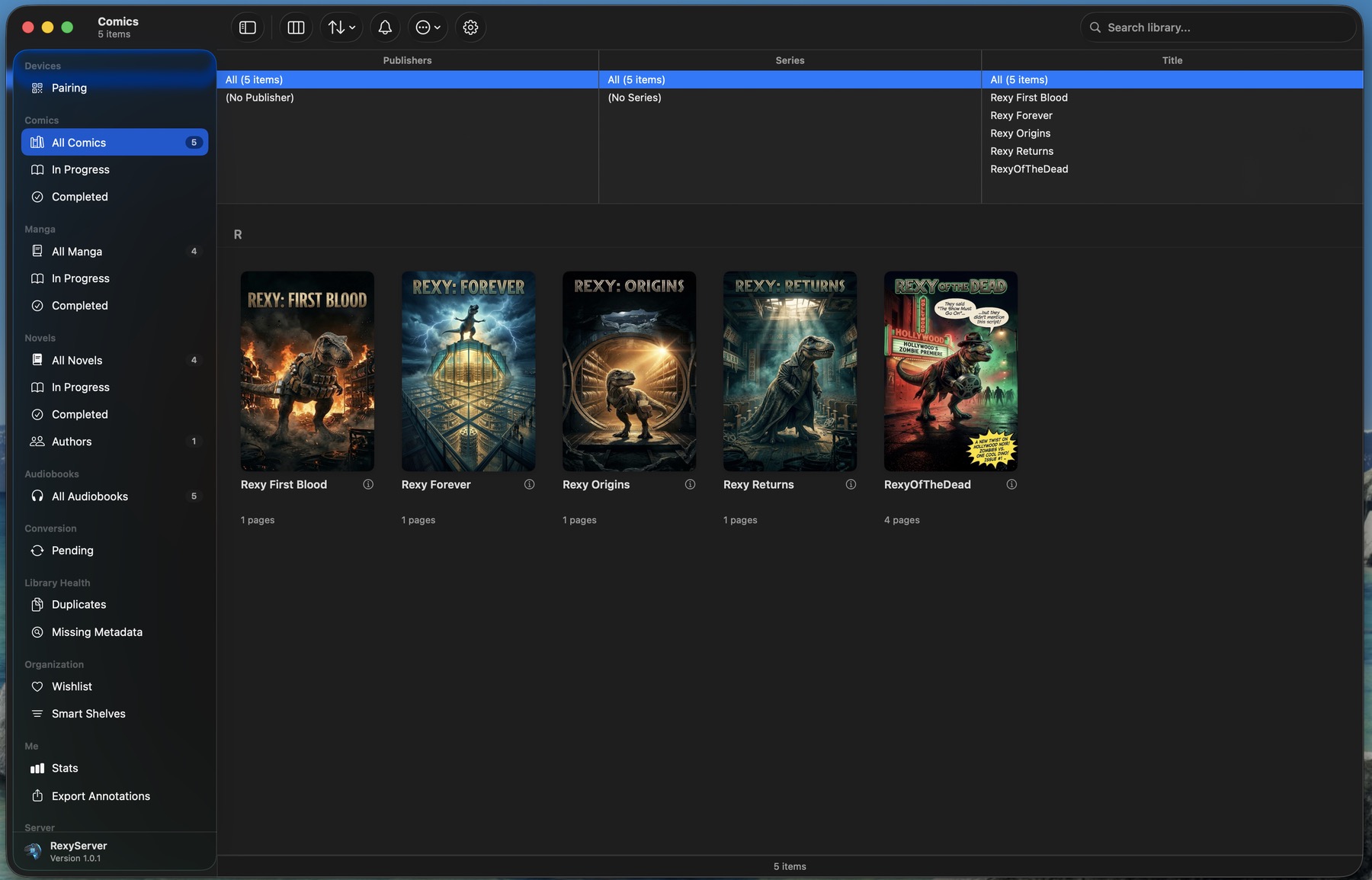
A real desktop app for a real library.
Not a web dashboard. Not a daemon. A proper Mac app with sidebar shelves, drag-and-drop, and a thoughtful UI for every kind of media you collect.
Manga
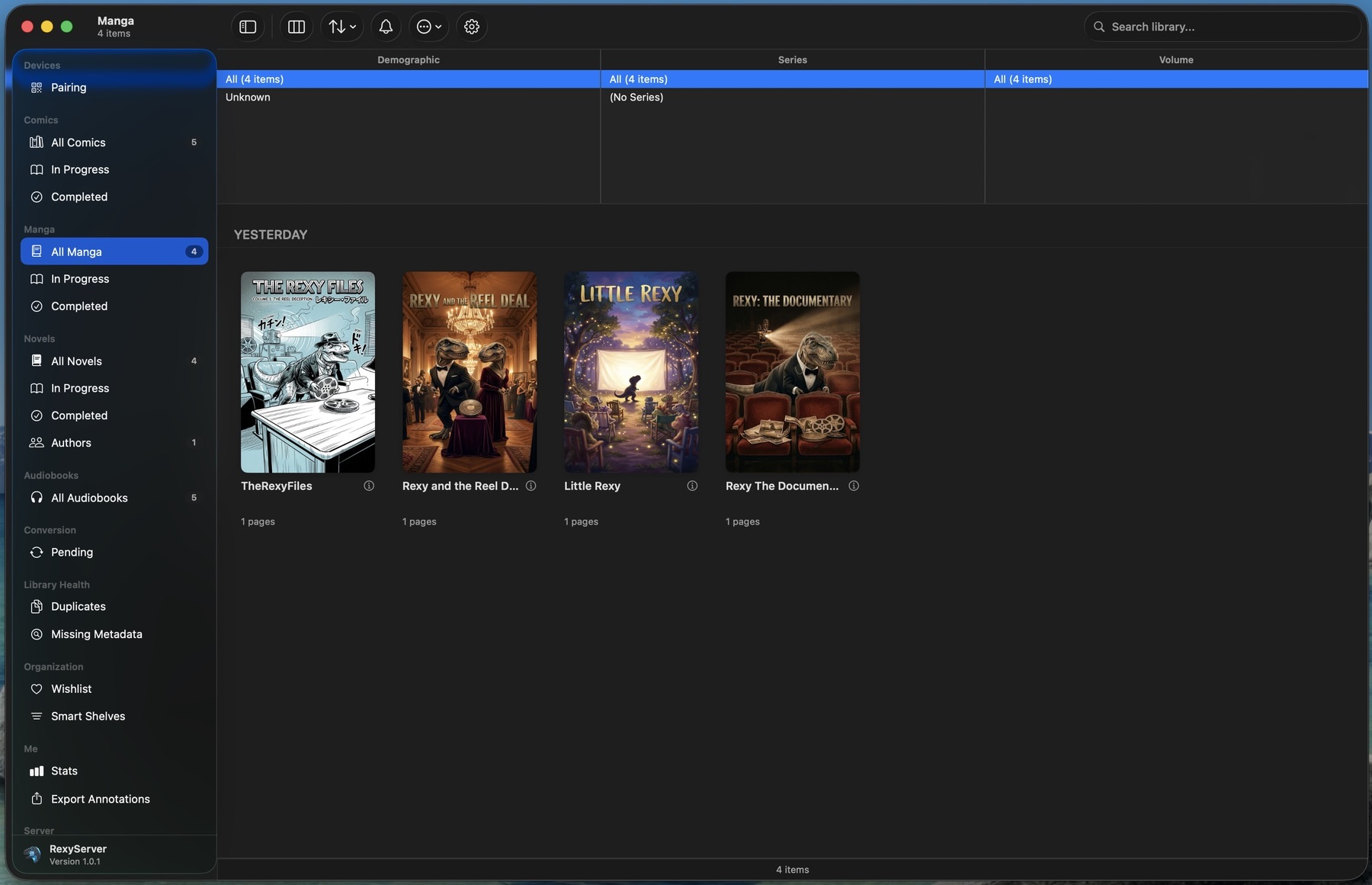
Manga-specific shelves.
RexyServer treats manga as a first-class media type with its own column browser — demographic, series, and volume — instead of cramming it into a generic comics list. Set the demographic tag on each title in the metadata editor and the sidebar groups your library by it automatically.
"In Progress" and "Completed" buckets fill automatically as your household reads through volumes. No manual tagging, no spreadsheet.
Novels
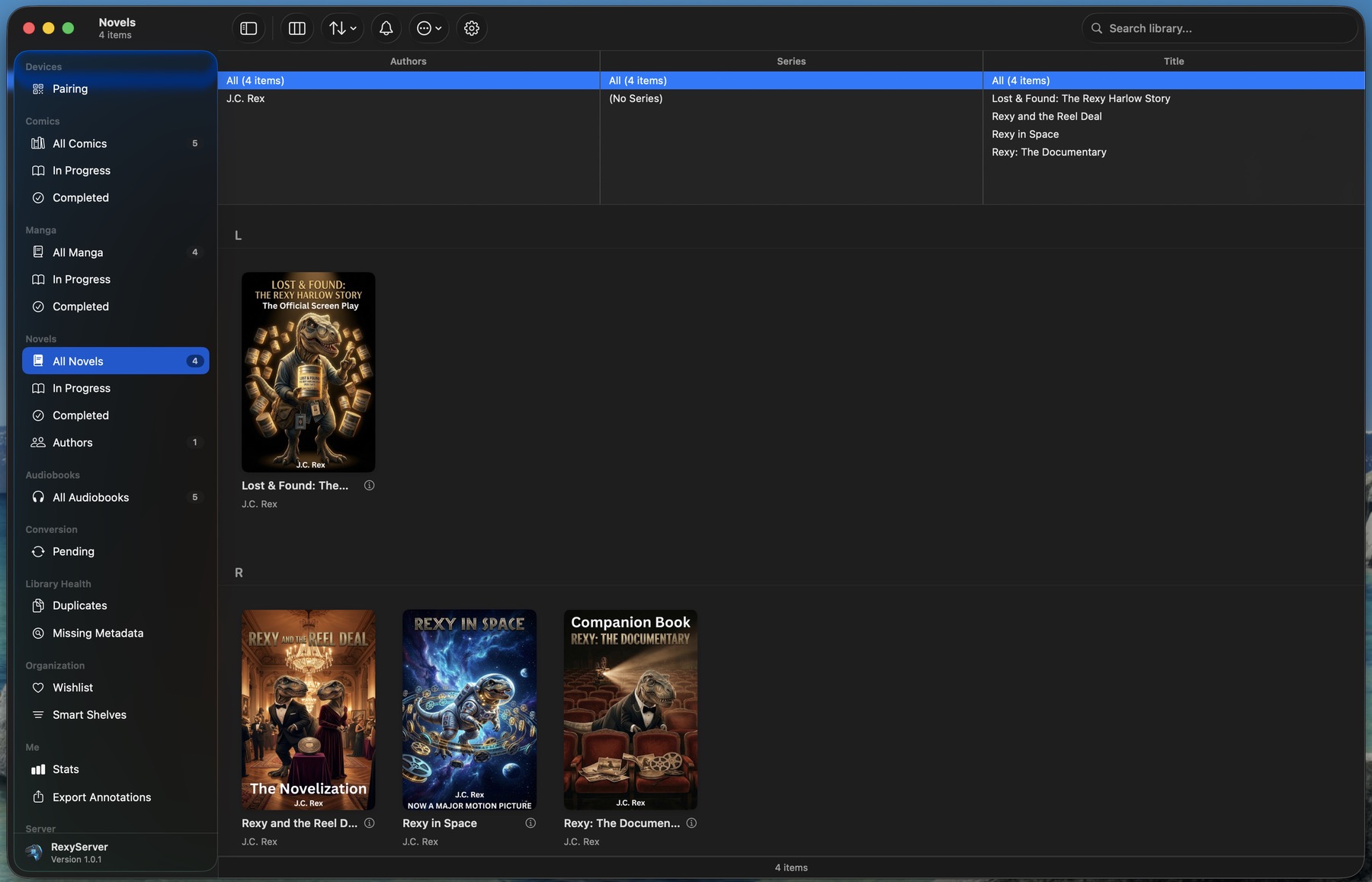
EPUBs, authors, series — sorted out for you.
Drop EPUBs into your novels folder and RexyServer groups them by author, by series, alphabetically by title — whatever view you prefer. Cover art is pulled from inside the EPUB; when no cover is tagged in the metadata, RexyServer falls back to the first embedded image so the shelf never looks empty.
MOBI files appear in the Conversion tab where one click converts them to EPUB 3 in place, with the original tucked into a quarantine folder for safety. Mixed-format libraries land cleanly in RexyRead.
Audiobooks & Metadata
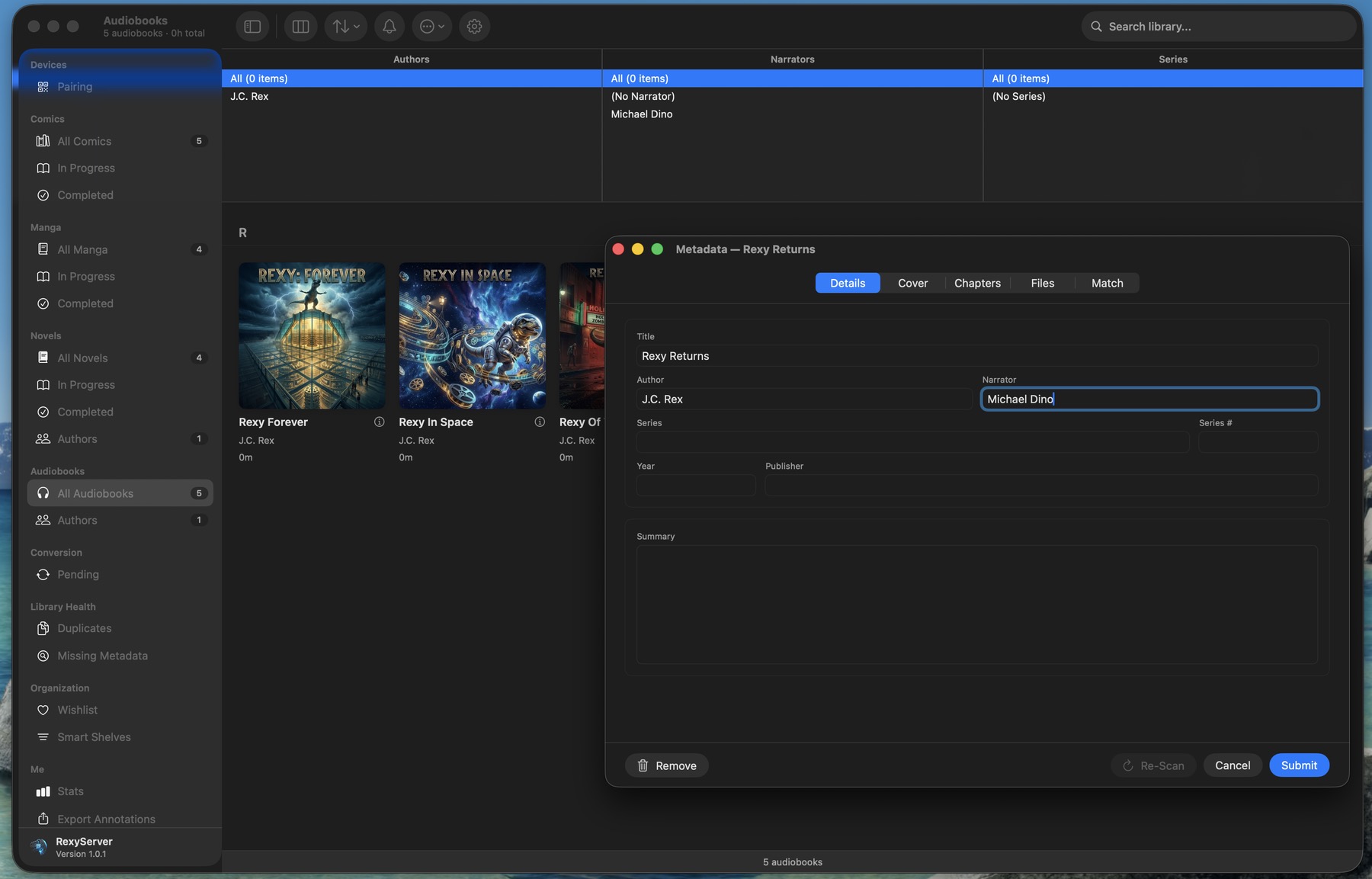
Fix metadata once, embed it forever.
The metadata editor lets you adjust title, author, narrator, series, year, publisher, and summary inline. Adjust each field by hand or pull fresh metadata from one of several built-in lookup tools — whichever fits what's missing.
Changes are written straight back into the M4B or MP3 file — not a sidecar, not a database row that only RexyServer can read. Take your library anywhere; plug the drive into a different player and your tags follow.
Cover art written into the file with proper iTunes-compatible tags
Narrator field gets first-class support — searchable, browsable
Chapter markers preserved across edits
Statistics
See how the household reads.
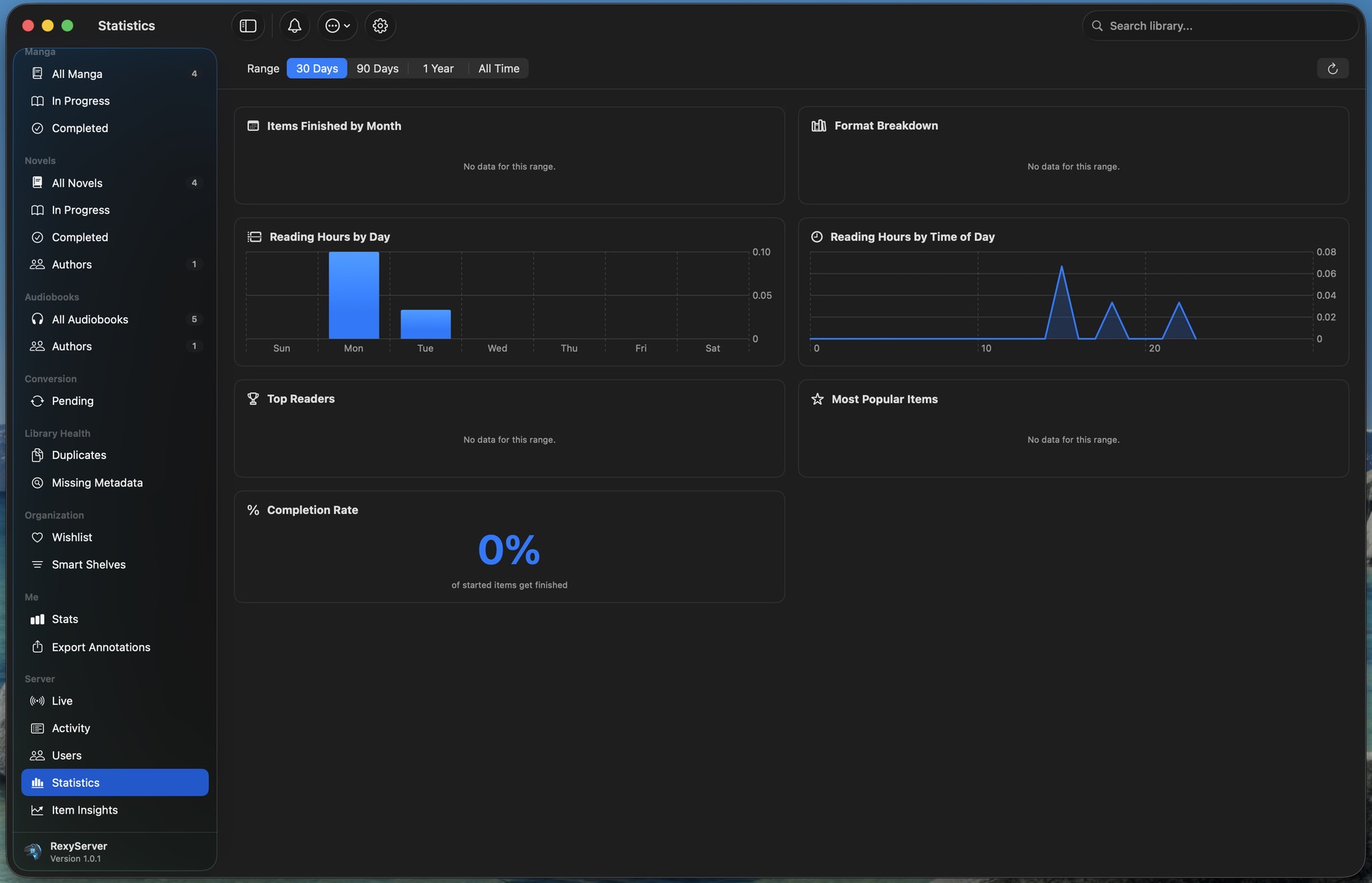
Reading hours by day. Items finished by month. Completion rate. Top Readers. RexyServer rolls up every reading session — comics turned, EPUB pages, audiobook minutes — into a dashboard that lives on your Mac, not a third party's server.
The Top Readers chart shows finished-item counts per user across the household, so you can see who's been reading the most. All optional, all local.
Library Health
Find what's missing. Fix it in bulk.
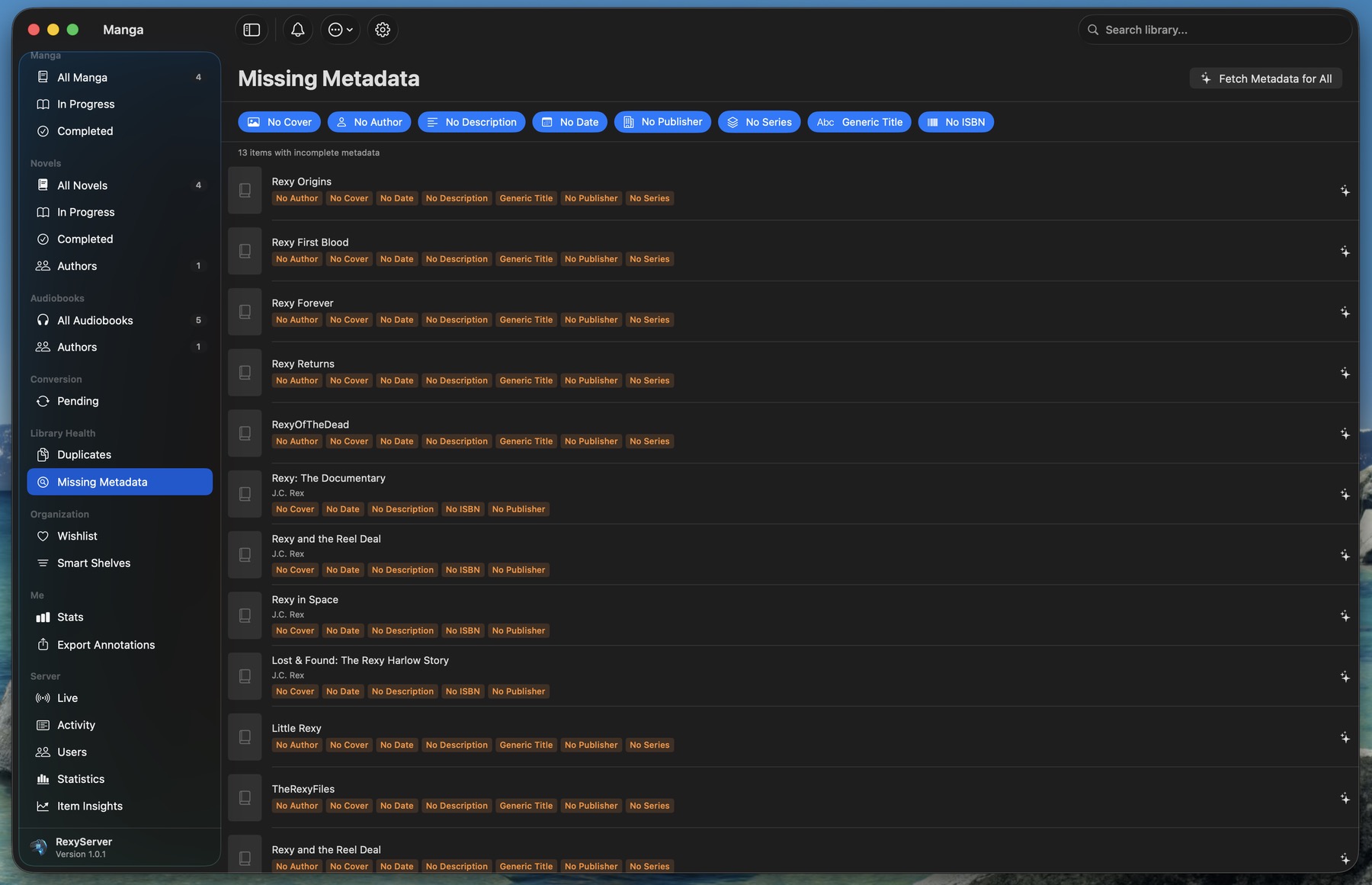
Missing covers, no author, generic title, no publisher, no ISBN — every gap in your library catalogued in one place. Click "Fetch Metadata for All" and RexyServer runs the metadata orchestrator across each gap, filling in what it can find.
Duplicate detection, abandoned-item sweeps, and background maintenance keep things clean without you having to think about it.
Security
Your library, your network, your rules.
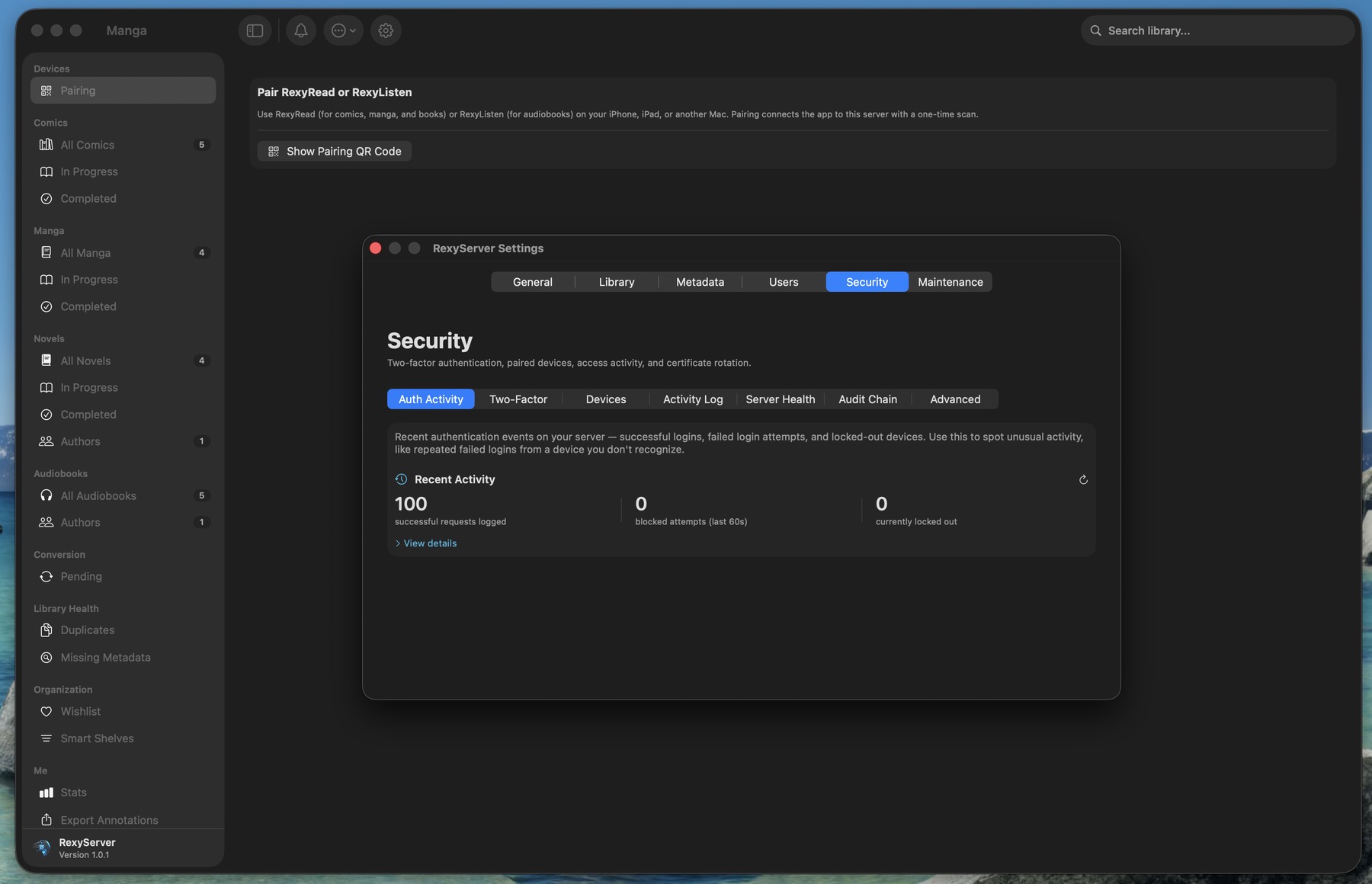
RexyServer ships with TLS by default, certificate fingerprints pinned by each client at pair time. There is no shared "all clients trust this" certificate authority — pairing is what establishes trust, and revoking trust is one tap in the dashboard.
Destructive admin operations — bulk delete, user removal, factory reset — require a fresh TOTP code from your authenticator app. Even if a paired client is compromised, it can't wipe your library.
TLS 1.3 with certificate pinning per device
Tamper-evident audit chain over every admin action
Real-time auth activity feed and lockout monitoring
Network
Local by default. Tailscale when you want it.
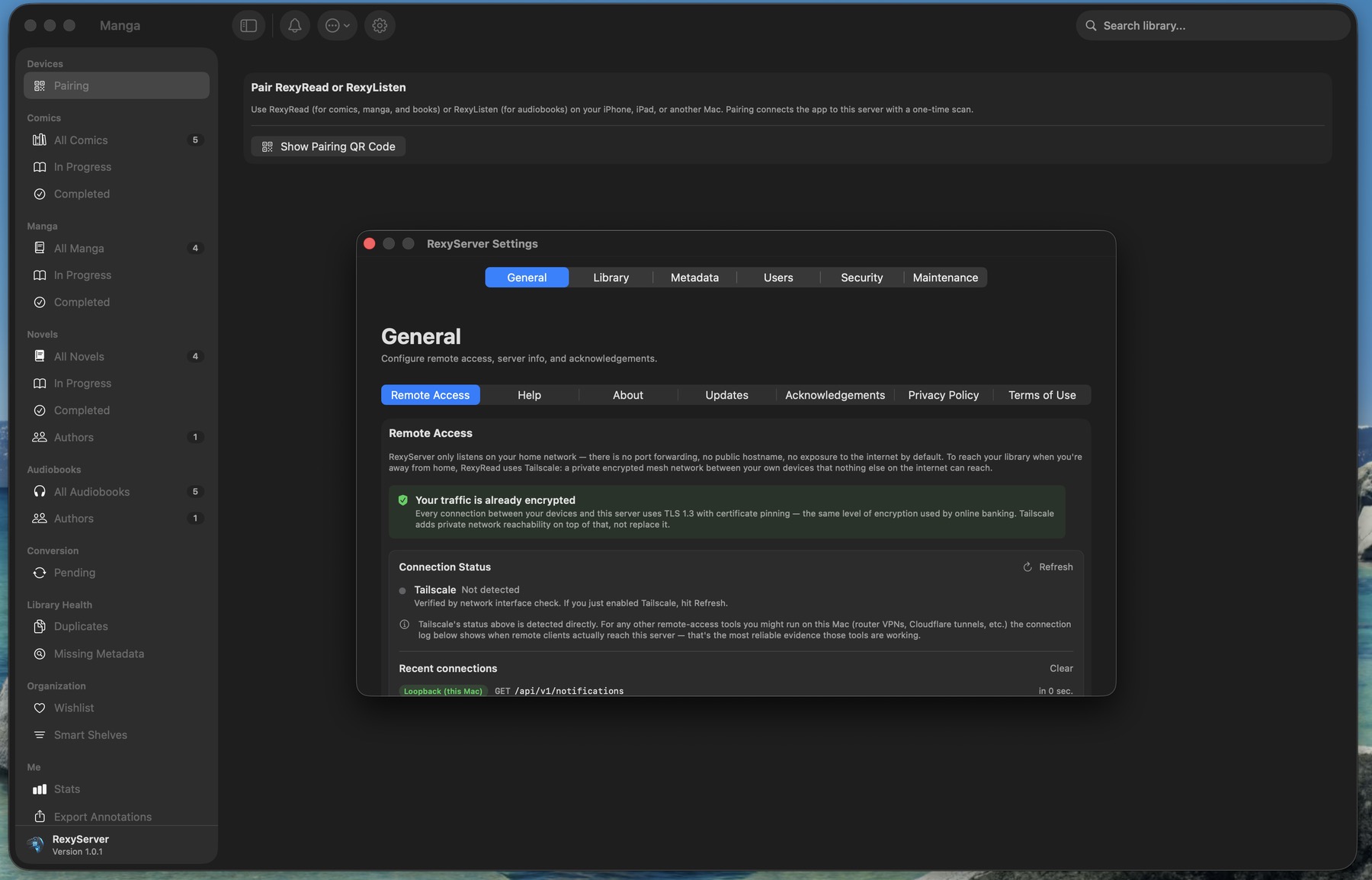
RexyServer doesn't expose itself to the public internet — by design. There's no "turn on remote access" toggle, no port-forwarding instructions to follow, no reverse proxy to configure. If you want remote access, install Tailscale on the server Mac and on each device you travel with.
The General settings panel shows you in real time which connections are reaching the server, where they're coming from, and confirms TLS encryption is active. No mystery about what your server is doing.
 RexyServer