Built from the ground up to be the fastest, most polished way to experience your media collection on any Apple device. Works with Plex, Jellyfin and Emby.
Bedtime & Viewing Limits
Give each profile a bedtime, a daily viewing time or a number of episodes a day. When a limit is reached, what’s playing can finish but nothing new starts. A parent can allow more with their PIN, or approve a request from their own phone.
Family Sharing
Share profiles, photos, PINs, ratings and limits with your family’s devices through iCloud — no account with us. Viewing time adds up across devices, so switching iPads doesn’t reset the clock.
iCloud Sync
Choose which settings follow you to your other devices on the same Apple ID: appearance, playback, libraries and, if you like, streaming quality. Optionally share your server sign-ins through iCloud Keychain too.
Browse by Theme
Search your own libraries by theme — Christmas, heists, time travel, dinosaurs — and combine themes, a genre and the time you have. Matching happens on your device.
Discover Row
Shortcut tiles on Home: Browse by Theme, Under 1 Hour, Surprise Me, this season’s holiday and Your Year. Hide any tile you don’t want.
Customize Home & Smart Rows
Arrange Home for each profile: hide or reorder rows, and add a library, collection or playlist row. Build your own Smart Rows like “Unwatched in 4K” or “Started but Not Finished”, across every library and server. A seasonal row brings out your Halloween or Christmas films at the right time.
Smart Downloads
Keep the next 3, 5 or 10 unwatched episodes of a show on your device, on Wi-Fi. Watched episodes it added are removed for you. On iPhone and iPad, download progress shows on the Lock Screen, and on iPhone in the Dynamic Island.
Favorites, Playlists & Ratings
Heart films and shows (your Plex Watchlist on Plex, favorites on Jellyfin and Emby), build playlists and rate titles. Saved on your server, so every device and app sees them.
Watched Status Everywhere
Finish something on one server and RexyView can mark the same title watched on your other servers too. Optional, and it changes nothing else.
Siri, Shortcuts & Spotlight
“Resume watching in RexyView”, “Surprise me with RexyView”, Home Screen quick actions, Control Center buttons, and your films and shows in Spotlight.
Widgets
A Continue Watching widget and a RexyView Shortcuts widget with tap-to-play buttons, plus the Server Dashboard widget.
What Did They Say?
Missed a line? Jump back 15 seconds with subtitles on for just that moment, then they turn off again.
Pause Screen
Pause for a moment and the picture dims to show the story, the cast, the chapter and when it ends.
Shuffle, Sorting & Quick Menus
Shuffle a whole show or a collection, sort libraries by date added, rating and more, and press and hold any poster for Play, Mark Watched, Go to Show and more.
Your Year
See what you watched this year — films, hours, shows, favorite genres — and share it as a card. No server names on it.
Edit Details
Server owners can change a title, sort title, poster or background from the artwork the server already has.
Sign In Once
Approve an Apple TV’s sign-in code from your iPhone, and new devices can use the sign-ins from your others.
Mac & iPad Keyboard
A Go menu and shortcuts for Home, libraries, Search and Downloads, a Search tab, and Handoff between your devices. In the player: volume, mute, subtitles, speed and more. Settings → Keyboard Shortcuts lists every key, on iPhone and Vision Pro too.
Instant Image Loading
Turn on Pre-download All Images (off by default) to save every poster and thumbnail to your device, so your library loads instantly — even offline. No spinning indicators, no grey placeholders, just your content.
Apple TV, Elevated
A completely custom tvOS experience built for the 10-foot interface. Settings where each option opens a full-screen list of choices, full Siri Remote navigation, Top Shelf integration, and ratings with a scannable QR code.
Rich Metadata
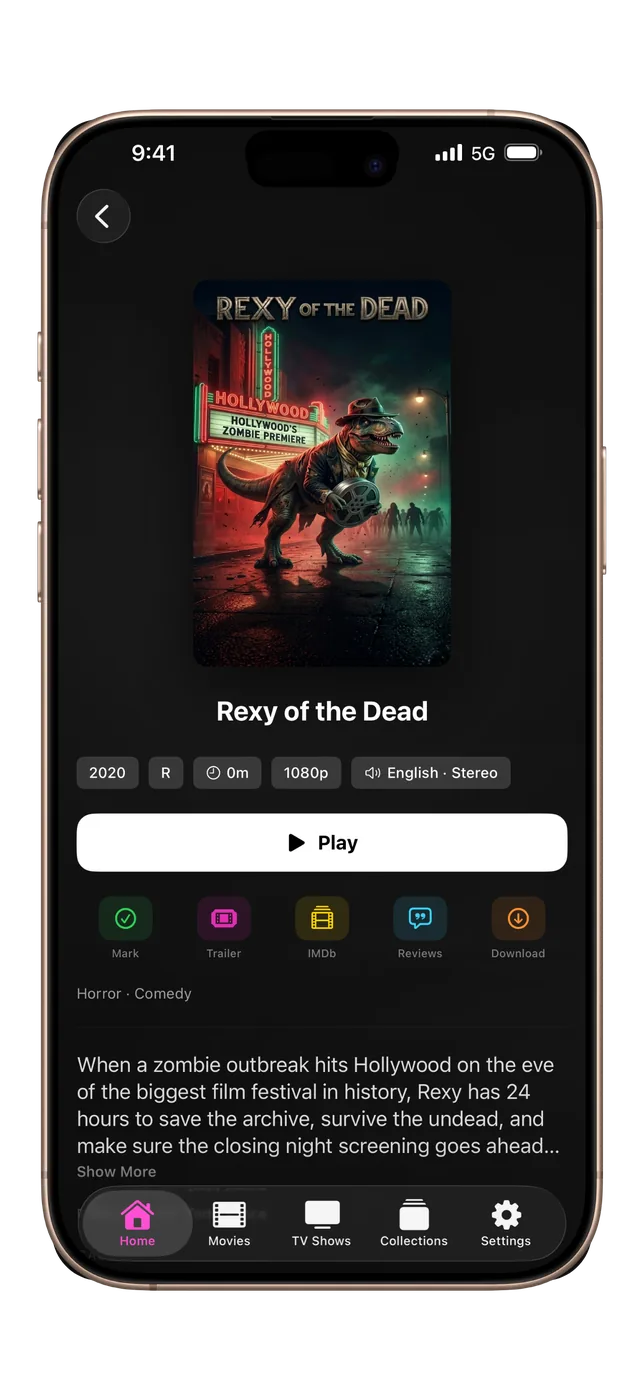
Ratings, full cast with actor headshots, trailers and reviews — shown beautifully across every platform whenever your server provides them.
Offline Downloads
Download movies and episodes to watch anywhere, in Original, 1080p, 720p or 480p. Files Apple devices can’t play are converted by your own server first. Organized by show and season, with optional auto-delete after watching.
Fully Customizable
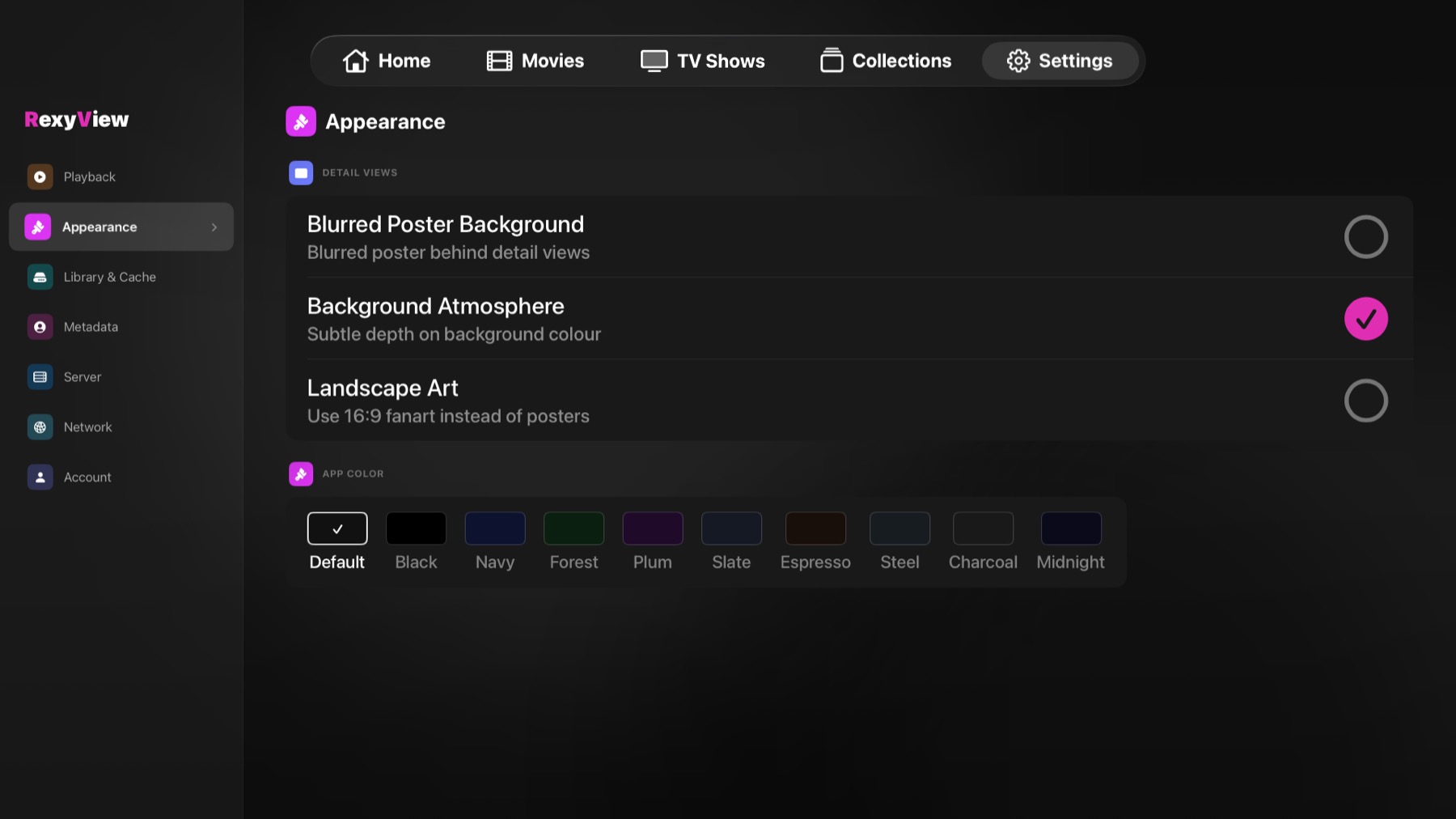
Background colors, Background Atmosphere, Blurred Poster Background, landscape art, subtitle fonts, size, color. Playback behavior, sleep timer, skip duration. Make it exactly how you want.
Smart Background Sync
Intelligent delta sync means only new content gets downloaded on subsequent opens. Fast on first launch and even faster every time after.
Actor Images
Beautiful cast sections with circular actor headshots. Enable in Settings and choose your server's images or TMDB (with your own free API key) for better coverage.
Sleep Timer
Built-in sleep timer stops playback automatically. Fall asleep without waking up several seasons deep in something you started.
True Multi-Platform
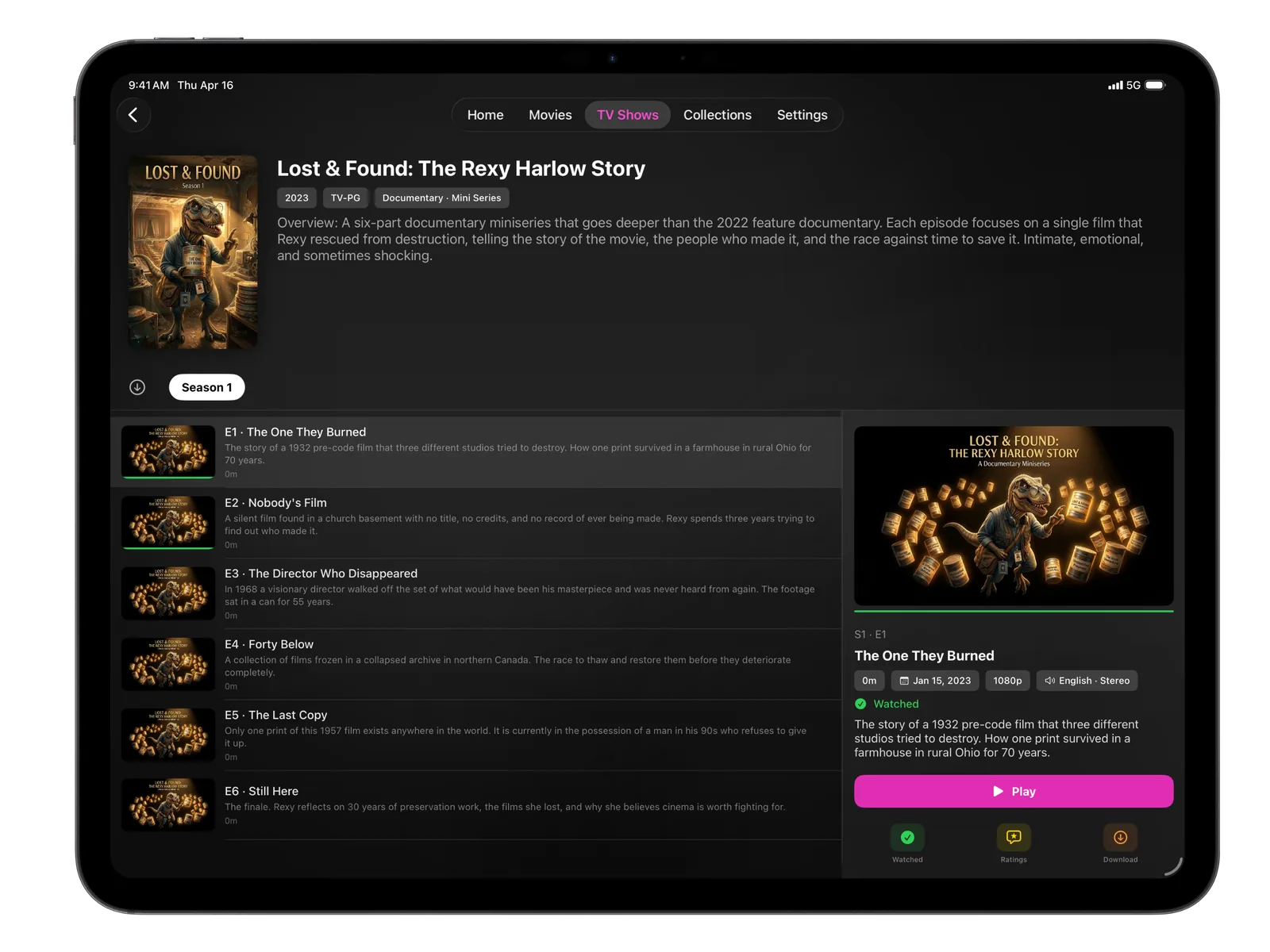
Each platform gets a purpose-built native interface — not a stretched phone app. iPhone, iPad, Apple TV, Mac, Vision Pro, and Apple Watch all feel genuinely at home.
Smart Resume
Picks up exactly where you left off. Configurable resume and mark-watched thresholds so it always behaves the way you want.
Collections
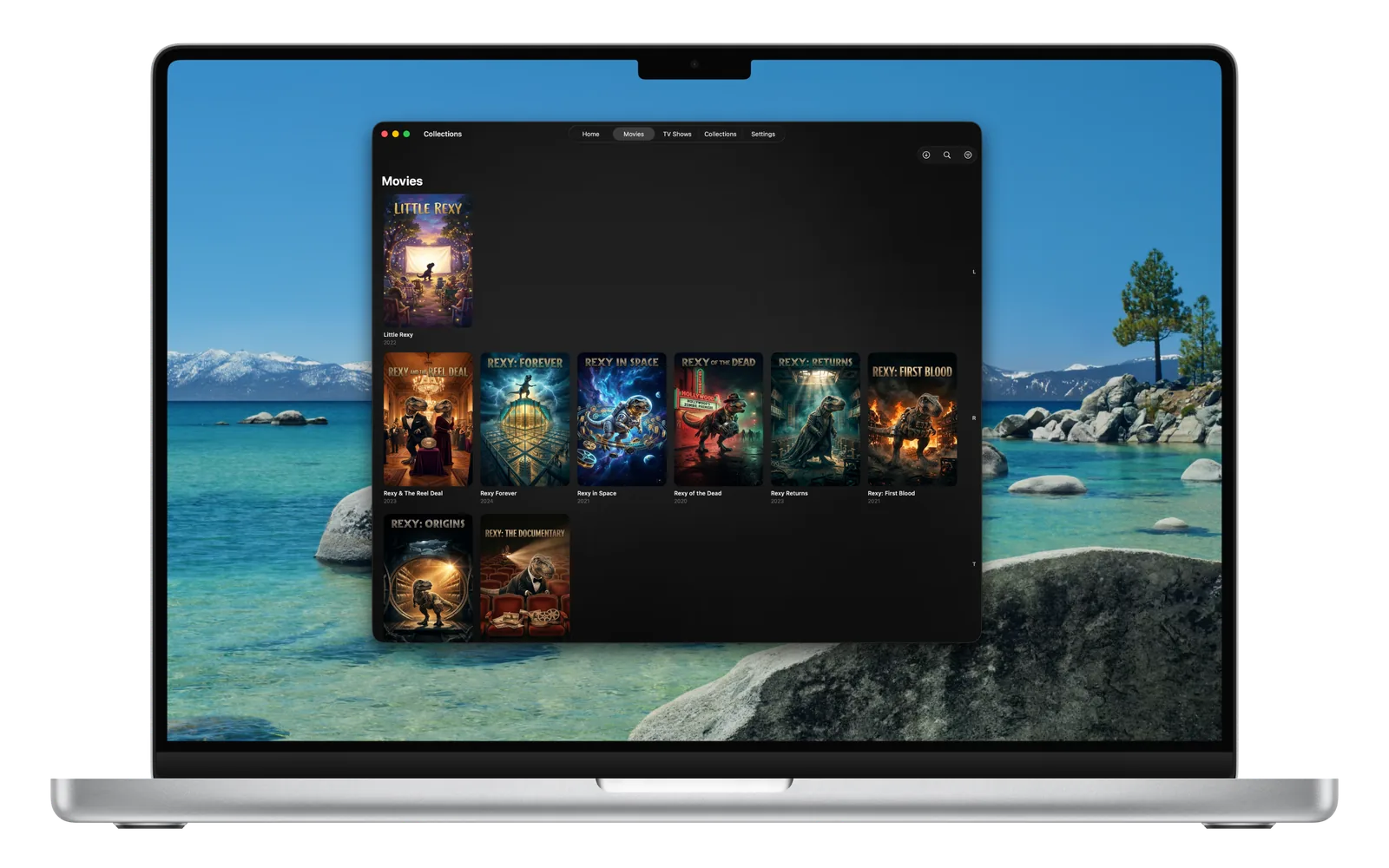
Browse and play your collections. Everything your server has organized, surfaced beautifully with alphabetical scrubbing for large libraries.
Subtitle Customization
Full control over subtitle size, color, background, font style, and weight. Live preview so you see exactly what you get before you play. Missing one? Find Subtitles… asks your server to search for it.
Profiles
“Who’s Watching?” profiles that work across all your servers, each with its own photo, its own user on every server, an optional PIN and an optional maximum content rating. With a limit set, unrated titles are hidden too. Forgot a PIN? The server owner can reset it by signing in again.
AirPlay & Picture in Picture
Cast to any AirPlay device from inside the player. Supports Picture in Picture so you can keep watching while using other apps.
Top Shelf Integration
RexyView surfaces your recently added movies and shows directly in the Apple TV Top Shelf so your content is always one click away.
Offline Scrobbling
Watch states and playback progress are queued when offline and automatically synced back to your server the moment connectivity is restored.
Plex, Jellyfin & Emby
Add Plex, Jellyfin and Emby servers side by side, and sign in to more than one Plex account. Switch between servers instantly.
Combine Libraries
Turn it on to see every server’s movies and shows as one library, one card per title with P, J and E badges. Play From shows each copy so you choose which server plays it, or set a preferred server. Nothing on your servers is changed.
Easy, Secure Sign-In
Plex sign-in with a short code on plex.tv. Jellyfin and Emby with address and password, Jellyfin Quick Connect or Emby Connect. Servers on your home network can be found for you, and self-signed HTTPS certificates can be trusted after checking their fingerprint.
HomeKit Scenes
Optionally run the HomeKit scenes you choose when playback starts, pauses or stops — dim the lights for movie night automatically.
Apple Watch Companion
Monitor your server from your wrist. See active streams and stop playbacks with a long-press. Live CPU and RAM graphs appear for Plex servers that report them. Complications in four styles.
Deep dives
The details that matter.
Apple TV
Settings built for the couch.
The tvOS settings are built for the Siri Remote. Pick a category from the list, then select a setting to open a full-screen list of its choices — the current one is already highlighted.
Ratings overlays include a QR code you can scan with your phone. Reviews are fully scrollable with proper focus trapping so you never accidentally leave the overlay.
Top Shelf integration means your recently added content appears on the Apple TV home screen before you even open the app.
Library
Your library, always ready.
Turn on Pre-download All Images in Settings → Library & Cache and RexyView saves every poster and thumbnail to your device. Your library loads instantly with no spinning indicators or grey placeholders. It’s off by default.
Smart delta sync means subsequent opens only fetch what changed. After the first warm it takes seconds to be fully up to date — even on massive libraries.
Image caching pauses automatically during video playback so your stream always gets full bandwidth priority.
Playback
Every detail of playback, your way.
Skip intro and skip credits buttons appear when your server has intro and credits markers. Configurable skip duration of 10, 15, 30 or 45 seconds. Auto-play next episode. Volume normalization for late night viewing.
Playback progress syncs back to your server in real time. If you go offline mid-watch, the scrobble is queued and replayed automatically when you reconnect.
AirPlay lets you cast to any compatible device. Picture in Picture keeps your show playing while you use other apps.
On iPhone and iPad, swipe up or down on the left of the video for brightness, or on the right for volume. No subtitles? Find Subtitles… in the Subtitles menu asks your server to search for them (Jellyfin and Emby need a subtitle plugin on the server).
RexyView plays video with Apple’s own player. When a file uses a format Apple devices can’t play, your Plex, Jellyfin or Emby server converts it automatically while you watch.
Servers
All your servers, one app.
Add Plex, Jellyfin and Emby servers side by side, plus more than one Plex account. Switch between them in a tap, or turn on Combine Libraries to browse them as one library with small P, J and E badges.
When the same movie or episode is on more than one server, Play From lists every copy with its resolution, audio and watch progress so you can choose which server plays it — or set a preferred server and skip the question.
Profiles bring it together: each person picks themselves at “Who’s Watching?”, with their own user on every server, an optional PIN and an optional maximum content rating. Rating limits rely on the ratings your server supplies.
Family
Made for the whole family.
Give everyone a profile with their own photo. Kids’ profiles can have a maximum rating, a bedtime, a daily viewing time or a set number of episodes a day.
When a limit is reached, the screen says why. Your child can send a request to your iPhone, and you approve “15 more minutes” or “No limits tonight” right from the notification — or enter your PIN on their device.
Turn on Family Sharing and profiles, limits and today’s viewing time are shared through your own iCloud with the devices you choose. RexyView has no servers and never sees any of it.
PROFILES · LIMITS · APPROVALS
This site sets no cookies and uses no tracking, advertising or analytics. It only remembers that you've closed this notice.
Privacy Policy